
How to Generate a Glossary and Exclusions in Clonable
Clonable’s generator creates an initial Glossary and Exclusions list based on your website. You choose which pages Clonable analyzes and which terms it should focus on. You can then review the results and decide which entries to save.
The generator is available in beta through the translation setup for clones where neither a Glossary nor an Exclusions list has been set up.
How does this improve your website translations?
A Glossary lets you specify how Clonable translates recurring terms. If road bike appears on your category page, product pages, and buying guides, you can use the same Dutch translation, “racefiets,” across all of them. This helps visitors recognize that you’re referring to the same type of bike and saves you from repeatedly correcting the same translation.
Exclusions tell Clonable which words, names, or codes to keep unchanged. A product code like AB-120-BL remains the same on your translated website as it appears on the packaging or in the manual. This makes it easier for customers to find the right product.
The generator looks for these kinds of terms on the pages you provide, giving you a starting point for both lists.
1. Add pages from your original website
Open your clone’s translation setup and go to URLs and Context. Click Add URL to add a total of 3–10 URLs from your original website.
Choose pages that contain your most important terms. For an online bike shop, you could use a road bike category page, an inner tube product page, and a page featuring bike maintenance products.
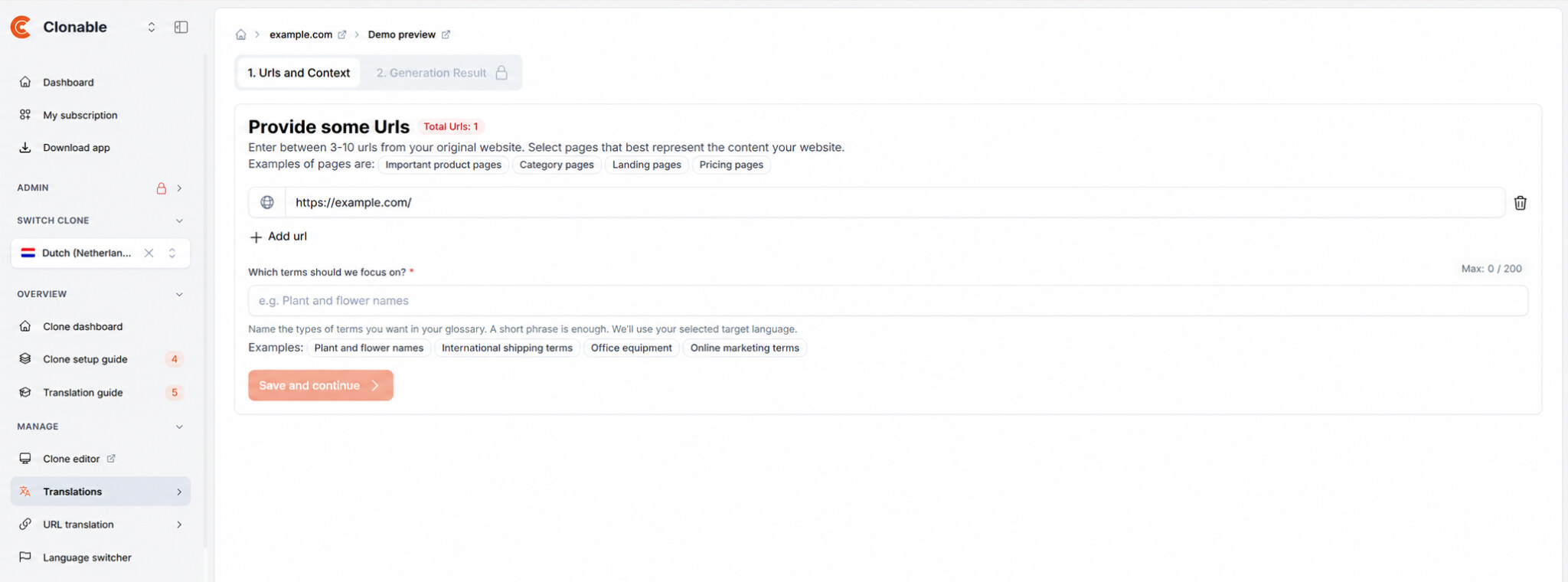
2. Tell Clonable which terms to focus on
Under Which terms should we focus on?, describe the types of terms you’d like to see in the lists. A short description such as bike parts, model names, and product codes is sufficient.
Click Save and continue. Clonable analyzes the pages you’ve provided and suggests translations in the target language of your selected clone. Once the lists are ready, they appear under Generation Result.
3. Review the generated lists
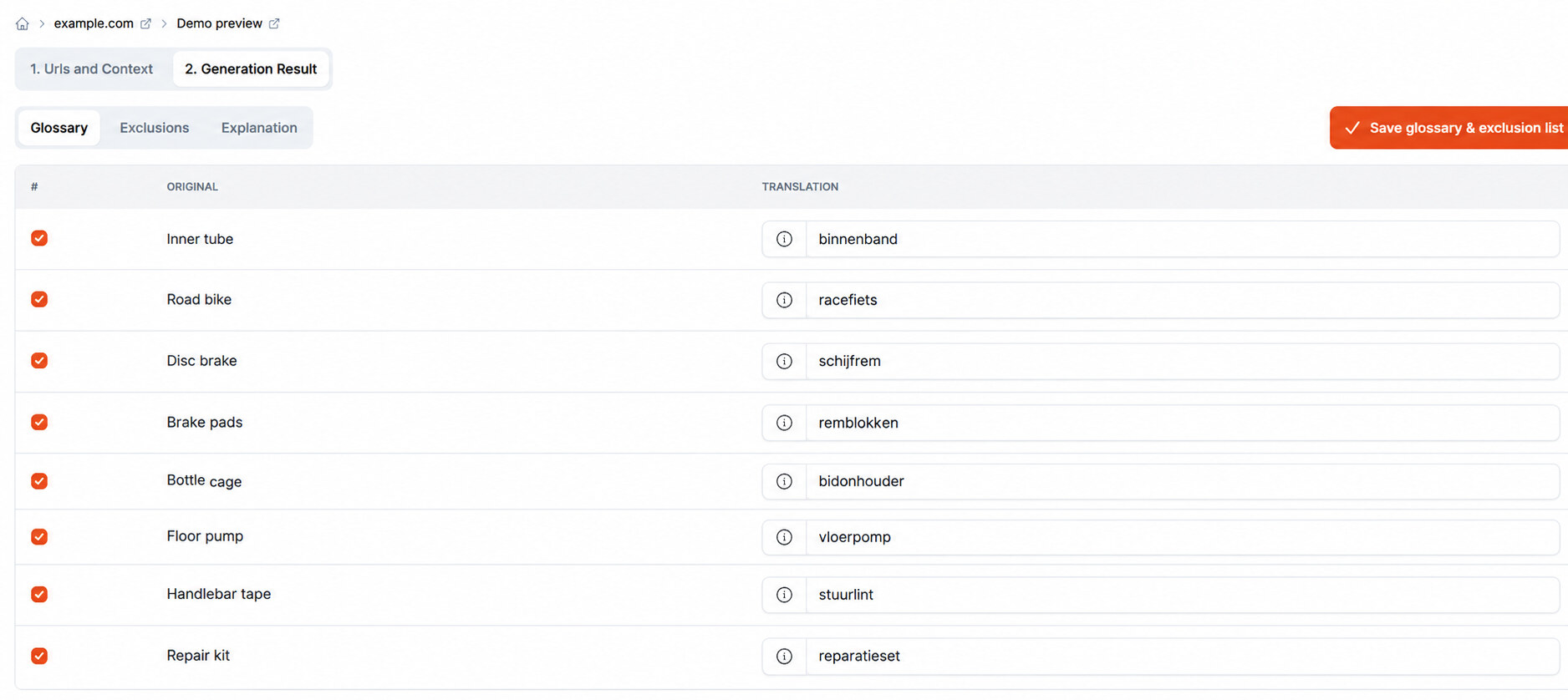
Under Glossary, you’ll see the original terms alongside their suggested translations. In the example below, Clonable suggests binnenband as the Dutch translation of “Inner tube.” You can edit the translation directly or uncheck the entry to exclude it.
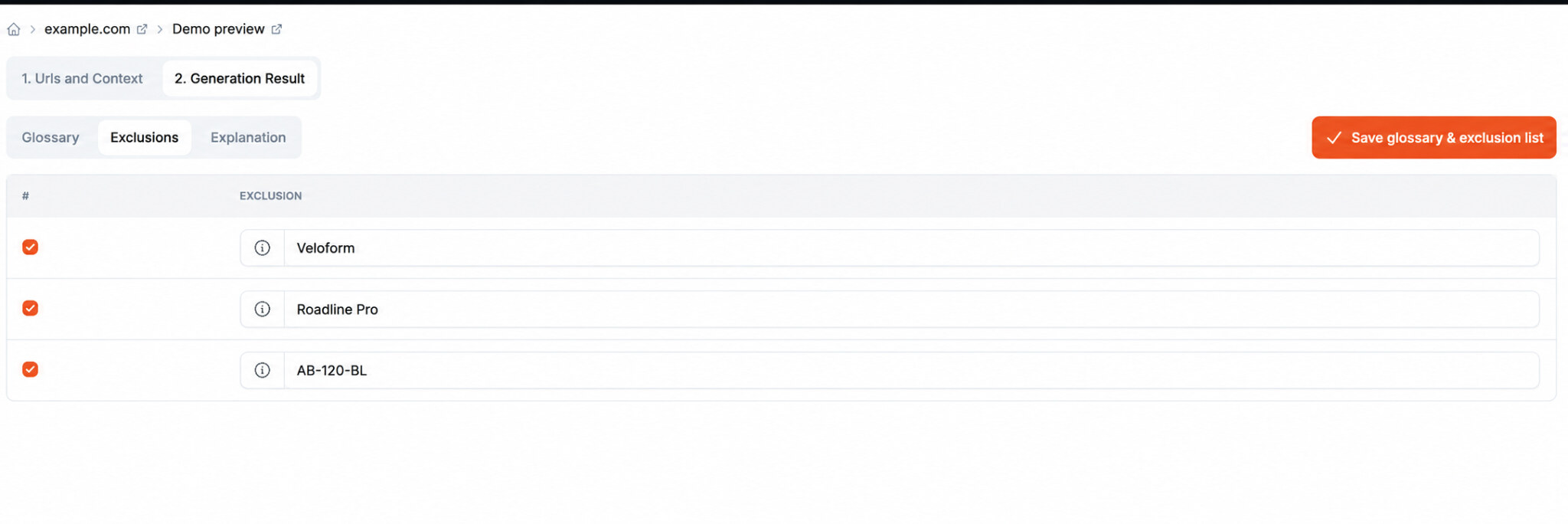
Under “Exclusions,” you’ll see the terms that Clonable suggests keeping unchanged, such as the model name Roadline Pro or the product code “AB-120-BL.” You can edit or uncheck entries here as well.
 The Explanation tab summarizes what Clonable found on the pages you provided. It also includes tips and points to consider as you review the results.
4. Save your selection
Click Save glossary & exclusion list to save the selected entries for your clone.
Unsure which terms to add to your Glossary and which to keep unchanged? Our article walks through examples of brand names, industry terms, and product codes. Learn more about Glossary and Exclusions.
Get started with Clonable for free today
Discover how to centrally manage international websites from a single platform.