
How much does Clonable affect your website’s loading speed?
A fast website is important for both the user experience and SEO. It’s no surprise, then, that we regularly get the same question from organizations looking to internationalize their websites: “How much does Clonable affect my website’s loading speed?”
“For a cached page, the additional processing time within Clonable averages about 100 milliseconds,” says Max van de Vossenberg, a developer at Clonable. That’s one-tenth of a second. However, that figure doesn’t tell the whole story. A website’s actual speed depends on many more factors.
Where does that extra processing time come from?
Clonable ensures that visitors automatically see the correct multilingual version of your website. To do this, Clonable communicates with the original website, after which the page is processed and displayed.
For a cached page, the additional processing within Clonable is limited to an average of about 100 milliseconds. The final load time also depends on the speed of the connection to the original website and the technical configuration of the website itself.
Is 100 milliseconds a long time?
In practice, usually not. 100 milliseconds is 0.1 seconds. For most visitors, that difference is barely noticeable. Moreover, a website’s overall speed is much more strongly influenced by other factors, such as:
the quality of your hosting;
caching;
images;
JavaScript and CSS;
external scripts;
the technical setup of your website.
Therefore, the number of milliseconds alone says little about the actual user experience.
Why is the main domain often faster?
In many cases, the main domain is slightly faster than the multilingual version. This is because Clonable performs additional processing to display the correct multilingual page to the visitor. For cached pages, this difference is usually minimal. For most websites, it will be barely noticeable to visitors.
Why does this vary from one WordPress website to another?
Not every WordPress website works the same way. Themes, plugins, caching, and customization all influence how pages are structured.
With WordPress subfolder clones, there’s an additional consideration. WordPress must reprocess translated requests. This involves additional communication between Clonable and the original website. As a result, processing time may vary by website.
A practical example
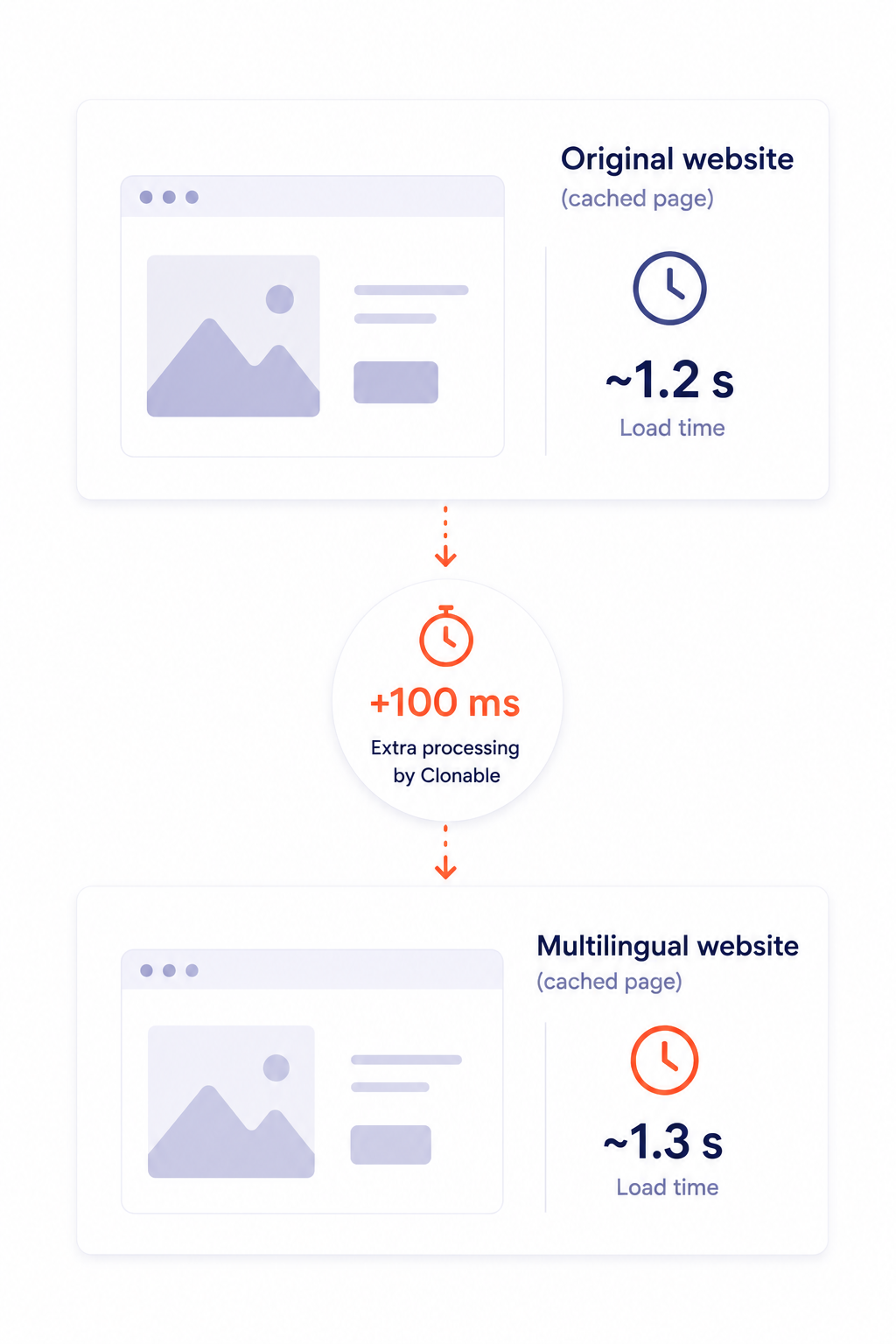
Suppose a page on your main domain loads in about 1.2 seconds without Clonable . For a cached page, an average of about 100 milliseconds of processing time within Clonable is added to that. The final load time also depends on factors such as the connection between Clonable and the original website, hosting, caching, and the website’s technical setup.
If the connection to the original website is slow, the multilingual website will automatically respond more slowly as well. This delay is unrelated to the processing time within Clonable itself, but it does factor into the total load time experienced by visitors.
Look at your website’s overall performance
When evaluating the speed of an international website, it’s important to look at the big picture. Therefore, always compare the main domain with the multilingual version under the same conditions. Don’t just look at a PageSpeed score; also consider the server response time (TTFB) and the Core Web Vitals. This will give you a more realistic picture of your website’s actual performance.
Conclusion
Does Clonable affect page load speed? Yes. For a cached page, the additional processing time within Clonable averages about 100 milliseconds. The final load time also depends on the connection to the original website, hosting, caching, and the website’s technical setup.
Get started with Clonable for free today
Discover how to centrally manage international websites from a single platform.